 68a89d7a46
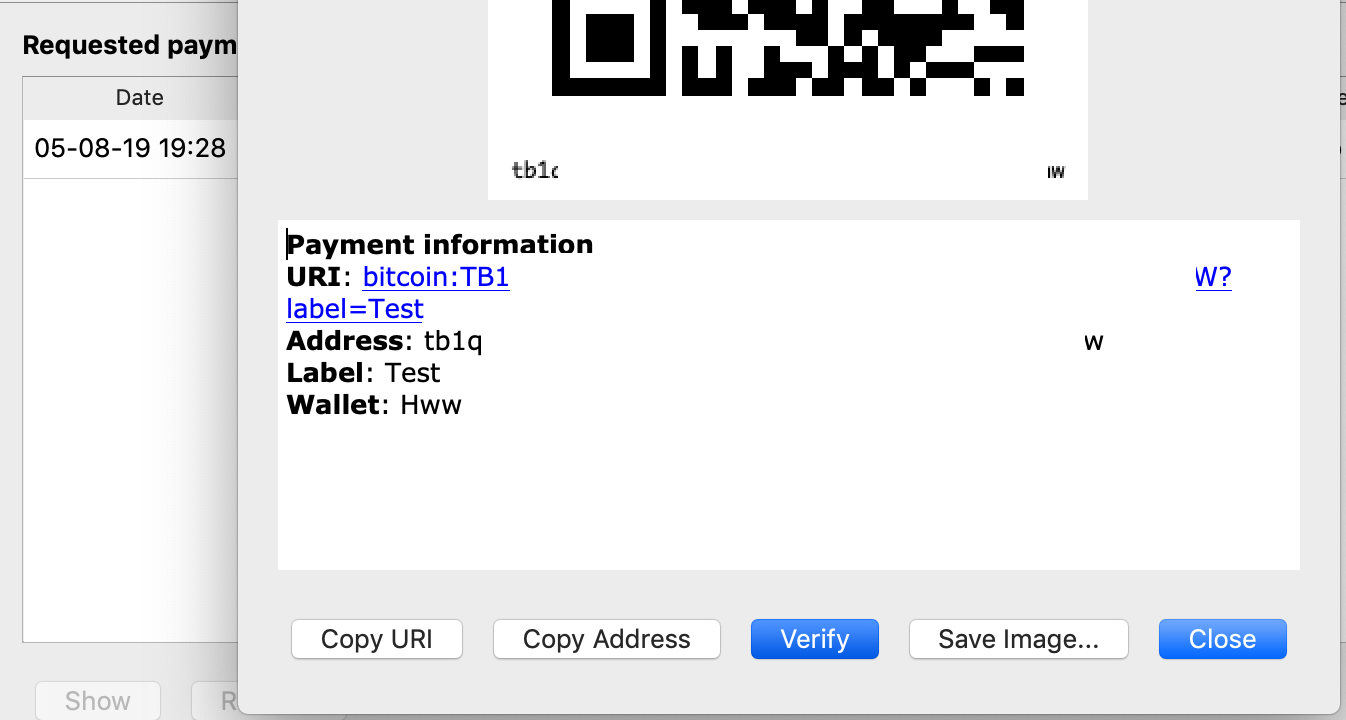
1c4b456e1agui: send using external signer (Sjors Provoost)24815c6309gui: wallet creation detects external signer (Sjors Provoost)3f845ea299node: add externalSigners to interface (Sjors Provoost)62ac119f91gui: display address on external signer (Sjors Provoost)450cb40a34wallet: add displayAddress to interface (Sjors Provoost)eef8d64529gui: create wallet with external signer (Sjors Provoost)6cdbc83e93gui: add external signer path to options dialog (Sjors Provoost) Pull request description: Big picture overview in [this gist](https://gist.github.com/Sjors/29d06728c685e6182828c1ce9b74483d). This PR adds GUI support for external signers, based on the since merged bitcoin/bitcoin#16546 (RPC). The UX isn't amazing - especially the blocking calls - but it works. First we adds a GUI setting for the signer script (e.g. path to HWI): <img width="625" alt="Schermafbeelding 2019-08-05 om 19 32 59" src="https://user-images.githubusercontent.com/10217/62483415-e1ff1680-b7b7-11e9-97ca-8d2ce54ca1cb.png"> Then we add an external signer checkbox to the wallet creation dialog: <img width="374" alt="Schermafbeelding 2019-11-07 om 19 17 23" src="https://user-images.githubusercontent.com/10217/68416387-b57ee000-0194-11ea-9730-127d60273008.png"> It's checked by default if HWI detects a device. It also grabs the name. It then creates a fresh wallet and imports the keys. You can verify an address on the device (blocking...): <img width="673" alt="Schermafbeelding 2019-08-05 om 19 29 22" src="https://user-images.githubusercontent.com/10217/62483560-43bf8080-b7b8-11e9-9902-8a036116dc4b.png"> Sending, including coin selection, Just Works(tm) as long the device is present. ~External signer support is enabled by default when the GUI is configured and Boost::Process is present.~ External signer support remains disabled by default, see https://github.com/bitcoin/bitcoin/pull/21935. ACKs for top commit: achow101: Code Review ACK1c4b456e1ahebasto: ACK1c4b456e1a, tested on Linux Mint 20.1 (Qt 5.12.8) with HWW `2.0.2-rc.1`. promag: Tested ACK1c4b456e1abut rebased withe033ca1379, with HWI 2.0.2, with Nano S and Nano X. meshcollider: re-code-review ACK1c4b456e1aTree-SHA512: 3503113c5c69d40adb6ce364d8e7cae23ce82d032a00474ba9aeb6202eb70f496ef4a6bf2e623e5171e524ad31ade7941a4e0e89539c64518aaec74f4562d86b


This directory contains the source code for the Bitcoin Core graphical user interface (GUI). It uses the Qt cross-platform framework.
The current precise version for Qt 5 is specified in qt.mk.
Compile and run
See build instructions: Unix, macOS, Windows, FreeBSD, NetBSD, OpenBSD
When following your systems build instructions, make sure to install the Qt dependencies.
To run:
./src/qt/bitcoin-qt
Files and Directories
forms/
- A directory that contains Designer UI files. These files specify the characteristics of form elements in XML. Qt UI files can be edited with Qt Creator or using any text editor.
locale/
- Contains translations. They are periodically updated and an effort is made to support as many languages as possible. The process of contributing translations is described in doc/translation_process.md.
res/
- Contains graphical resources used to enhance the UI experience.
test/
- Functional tests used to ensure proper functionality of the GUI. Significant changes to the GUI code normally require new or updated tests.
bitcoingui.(h/cpp)
- Represents the main window of the Bitcoin UI.
*model.(h/cpp)
- The model. When it has a corresponding controller, it generally inherits from QAbstractTableModel. Models that are used by controllers as helpers inherit from other Qt classes like QValidator.
- ClientModel is used by the main application
bitcoinguiand several models likepeertablemodel.
*page.(h/cpp)
- A controller.
:NAMEpage.cppgenerally includes:NAMEmodel.handforms/:NAME.page.uiwith a similar:NAME.
*dialog.(h/cpp)
- Various dialogs, e.g. to open a URL. Inherit from QDialog.
paymentserver.(h/cpp)
- (Deprecated) Used to process BIP21 payment URI requests. Also handles URI-based application switching (e.g. when following a bitcoin:... link from a browser).
walletview.(h/cpp)
- Represents the view to a single wallet.
Other .h/cpp files
- UI elements like BitcoinAmountField, which inherit from QWidget.
bitcoinstrings.cpp: automatically generatedbitcoinunits.(h/cpp): BTC / mBTC / etc. handlingcallback.hguiconstants.h: UI colors, app name, etc.guiutil.h: several helper functionsmacdockiconhandler.(h/mm): macOS dock icon handlermacnotificationhandler.(h/mm): display notifications in macOS
Contribute
See CONTRIBUTING.md for general guidelines.
Note: Do not change local/bitcoin_en.ts. It is updated automatically.
Using Qt Creator as an IDE
Qt Creator is a powerful tool which packages a UI designer tool (Qt Designer) and a C++ IDE into one application. This is especially useful if you want to change the UI layout.
Download Qt Creator
On Unix and macOS, Qt Creator can be installed through your package manager. Alternatively, you can download a binary from the Qt Website.
Note: If installing from a binary grabbed from the Qt Website: During the installation process, uncheck everything except for Qt Creator.
macOS
brew install qt-creator
Ubuntu & Debian
sudo apt-get install qtcreator
Setup Qt Creator
- Make sure you've installed all dependencies specified in your systems build instructions
- Follow the compile instructions for your system, run
./configurewith the--enable-debugflag - Start Qt Creator. At the start page, do:
New->Import Project->Import Existing Project - Enter
bitcoin-qtas the Project Name and enter the absolute path tosrc/qtas Location - Check over the file selection, you may need to select the
formsdirectory (necessary if you intend to edit *.ui files) - Confirm the
Summarypage - In the
Projectstab, selectManage Kits...
macOS
- Under
Kits: select the default "Desktop" kit - Under
Compilers: select"Clang (x86 64bit in /usr/bin)" - Under
Debuggers: select"LLDB"as debugger (you might need to set the path to your LLDB installation)
Ubuntu & Debian
Note: Some of these options may already be set
- Under
Kits: select the default "Desktop" kit - Under
Compilers: select"GCC (x86 64bit in /usr/bin)" - Under
Debuggers: select"GDB"as debugger
- While in the
Projectstab, ensure that you have thebitcoin-qtexecutable specified underRun
- If the executable is not specified: click
"Choose...", navigate tosrc/qt, and selectbitcoin-qt
- You're all set! Start developing, building, and debugging the Bitcoin Core GUI